
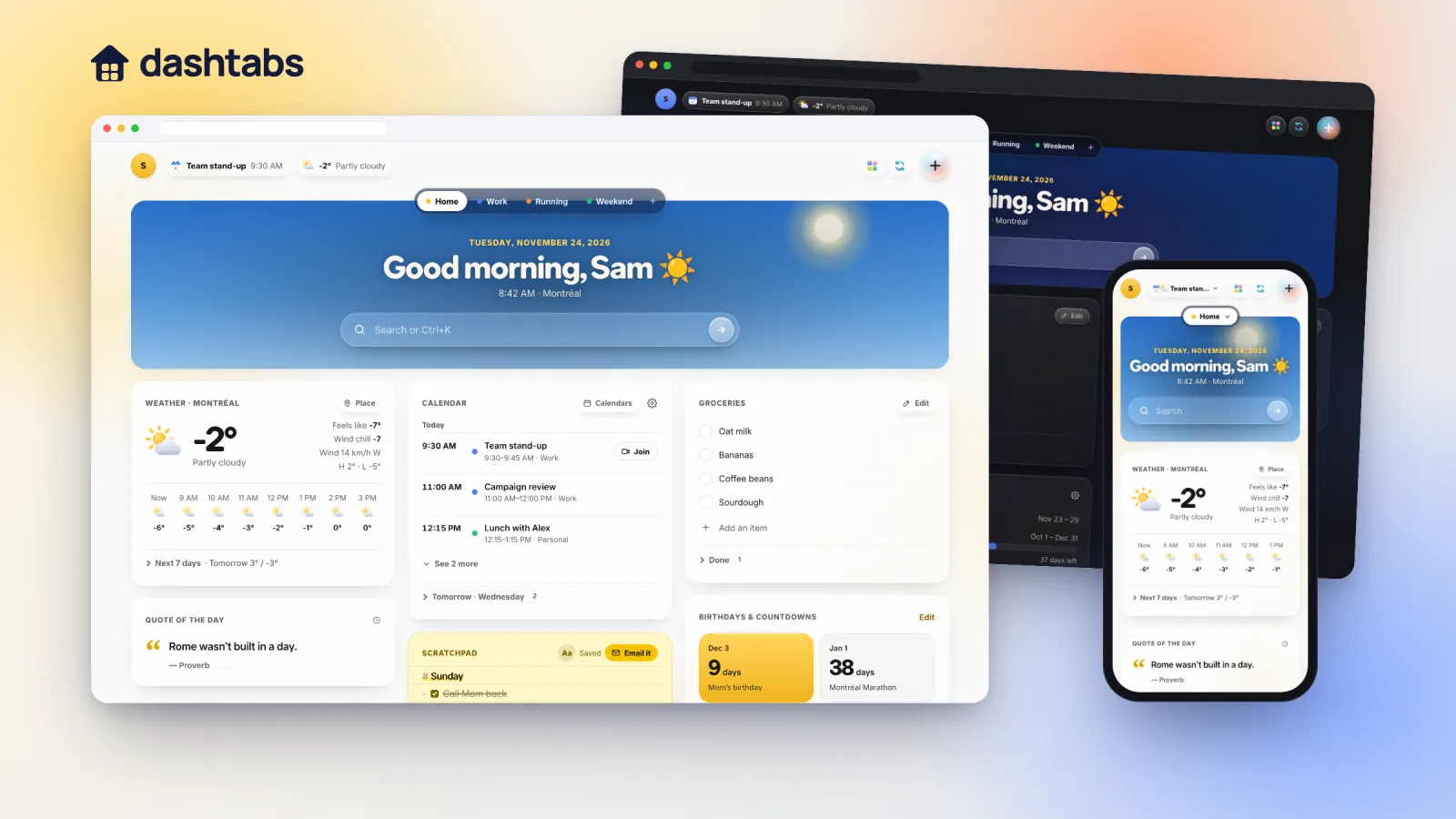
My start page, now open to anyone who wants one.
It started as a tab for me
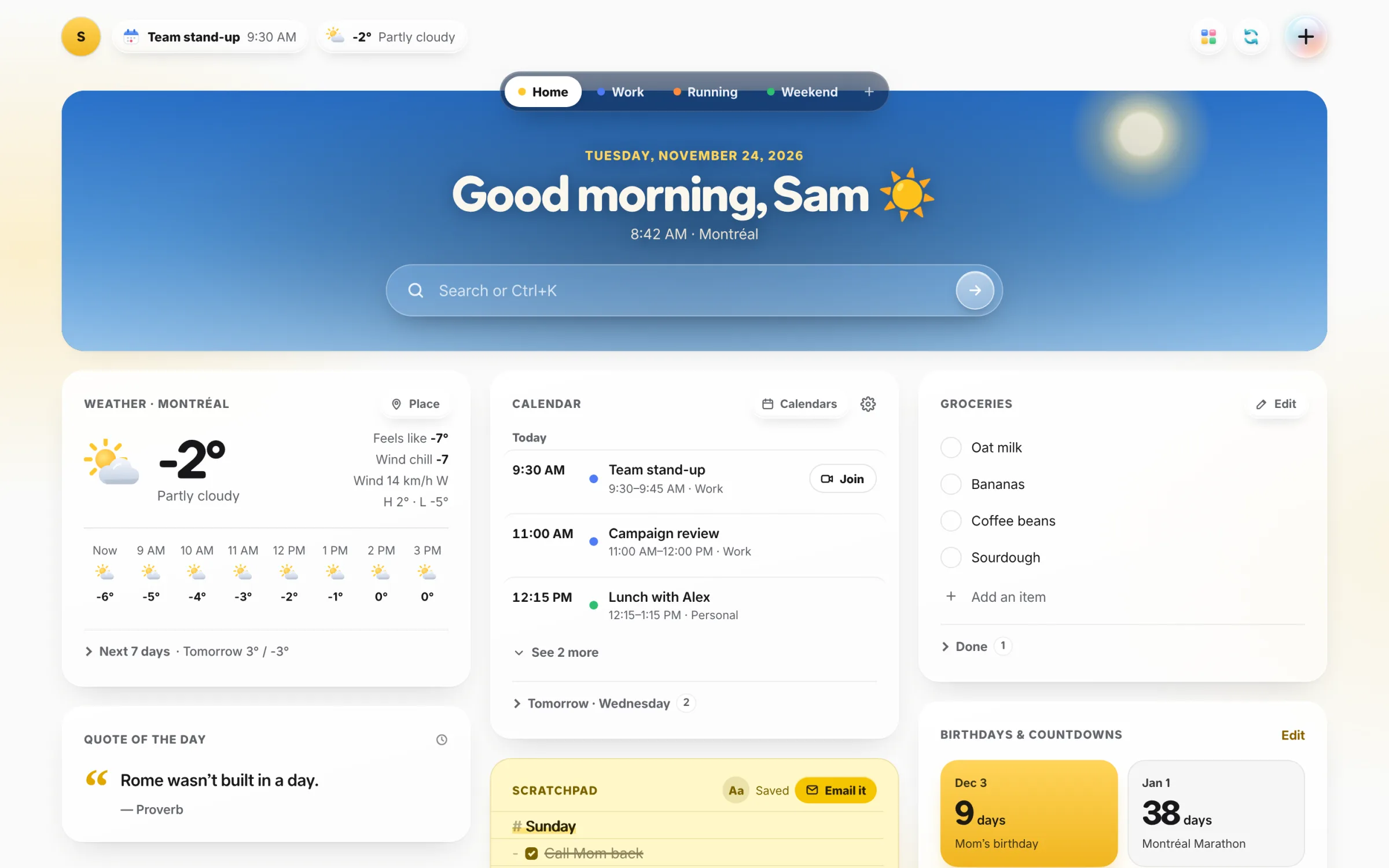
The first thing I saw every time I opened a new tab was a page I'd built for myself at home.timj.me. The weather, my calendar, how many emails were waiting, the links I actually use, a note for the day. Nothing fancy. Just everything I check, in one place, so I'd stop opening six tabs to start my morning.
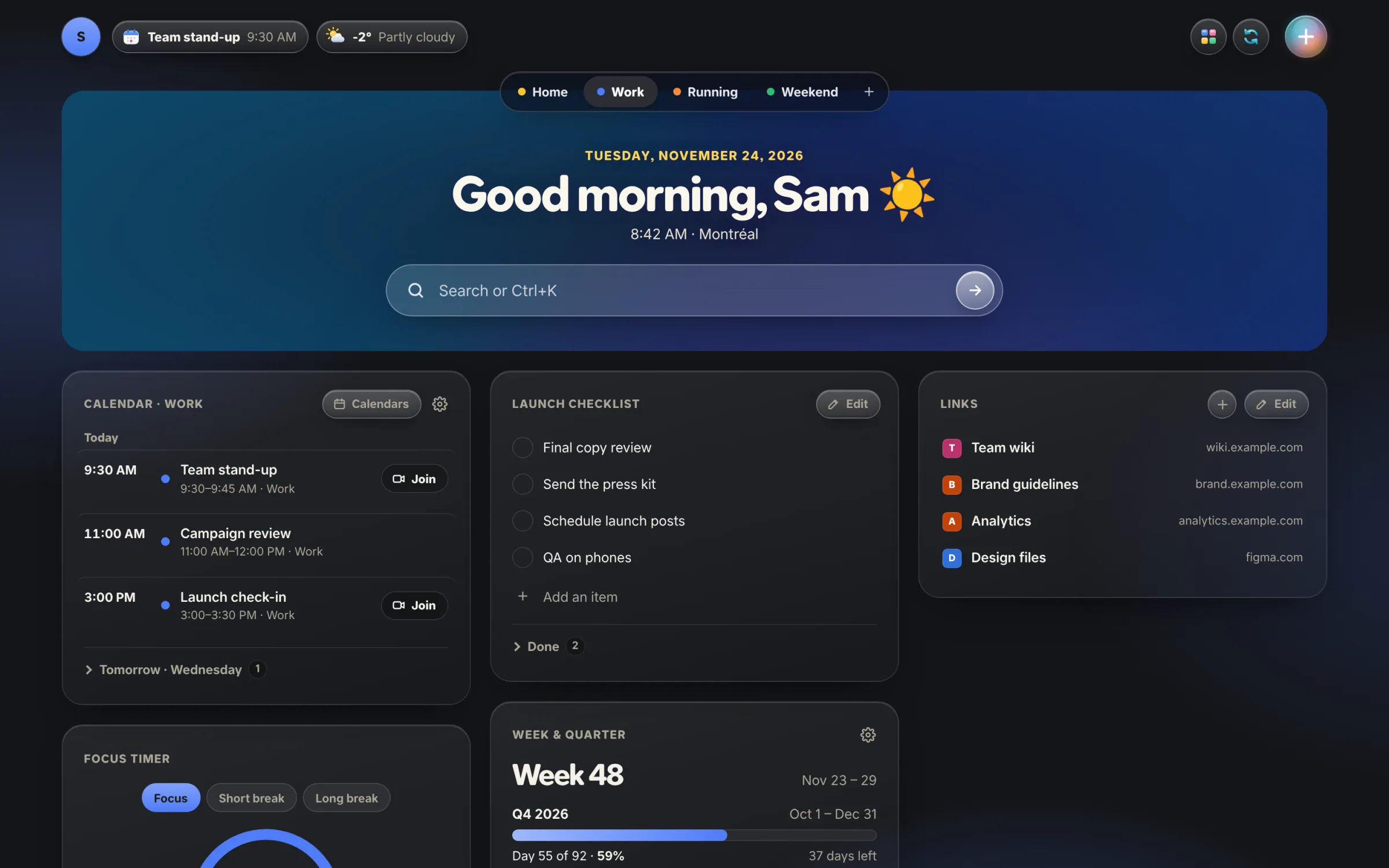
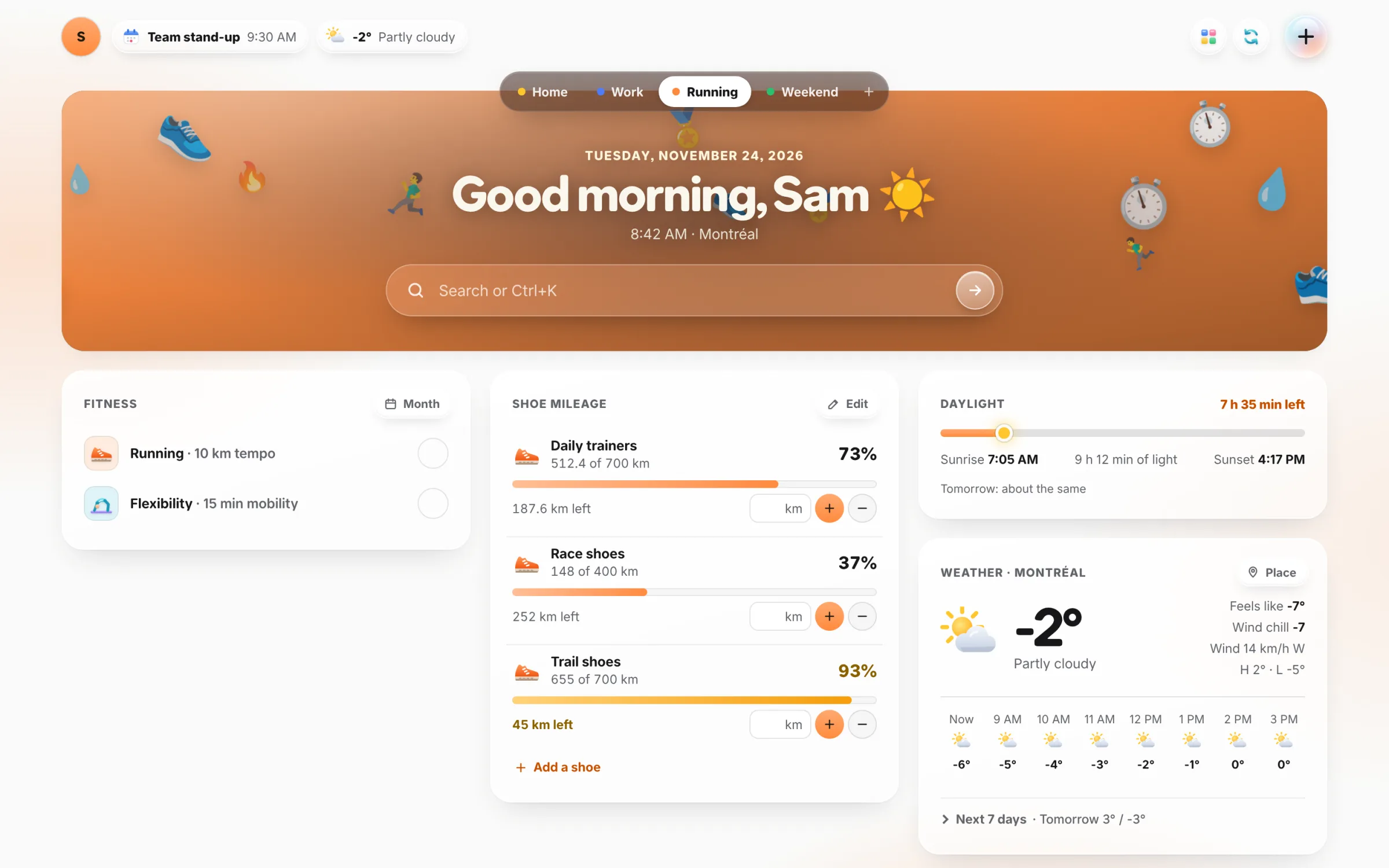
Then I kept adding to it. A tab for work, a tab for running, a tab for the weekend. A widget for the books I'm reading, another for my training plan, another to know if the métro was running. At some point it stopped being a page and started being a small app.
As I was using it more, I began thinking it might be useful to others. So I spent hours over a couple of weeks turning it into something anyone can use.
This is Dashtabs.
What it is
Dashtabs turns your new tab into a dashboard. You pick the widgets, put them in tabs (Home, Work, Weekend, whatever makes sense for you) and give each tab its own colour and header.
About 25 widgets
Weather, calendars, inbox counts, lists, notes, bookmarks, reading, workouts, countdowns and more.
Quick add
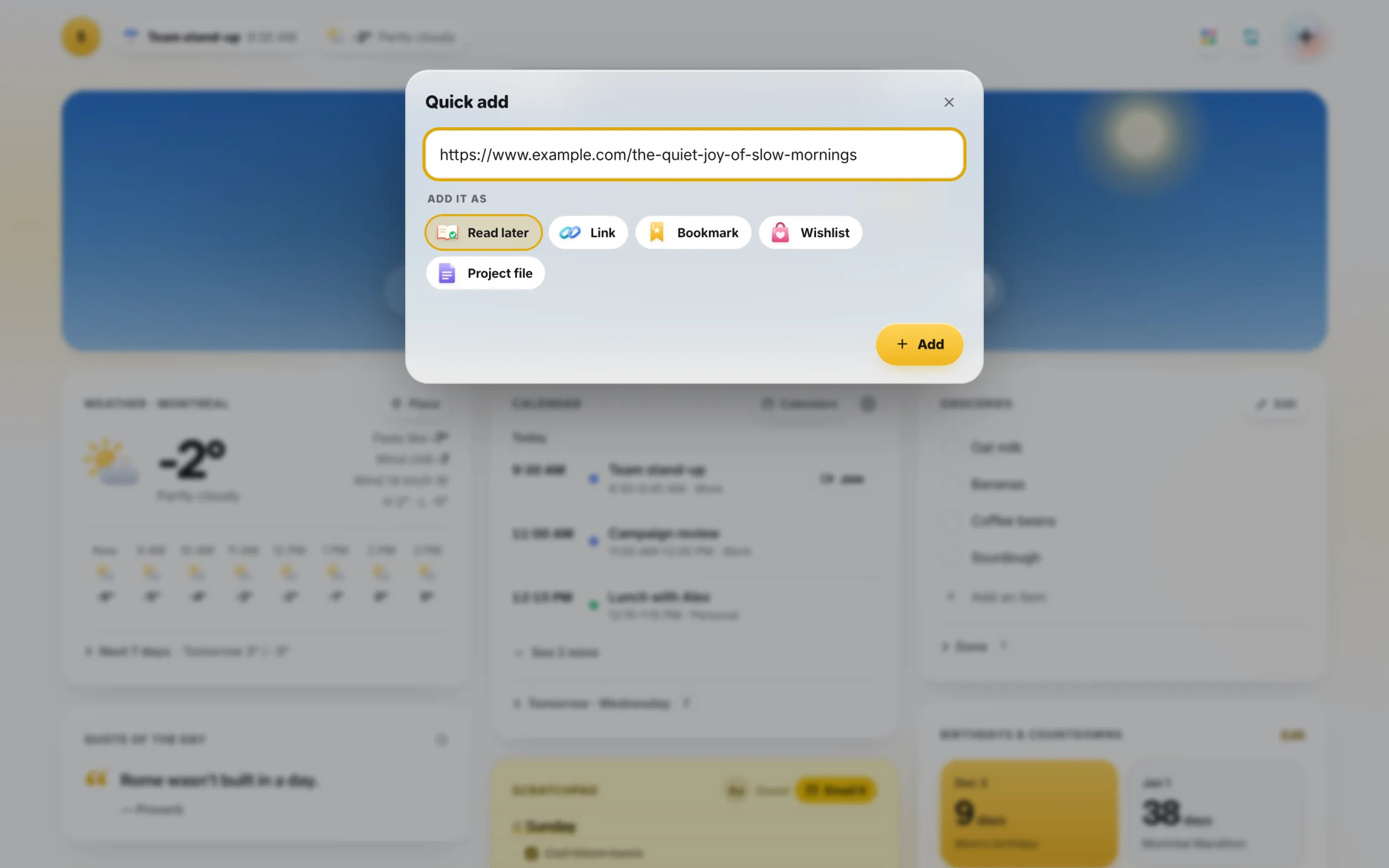
Press A, paste a link or type a line, and park it where it belongs.
Search
⌘K finds your bookmarks, tabs and files as you type.
Calm mode
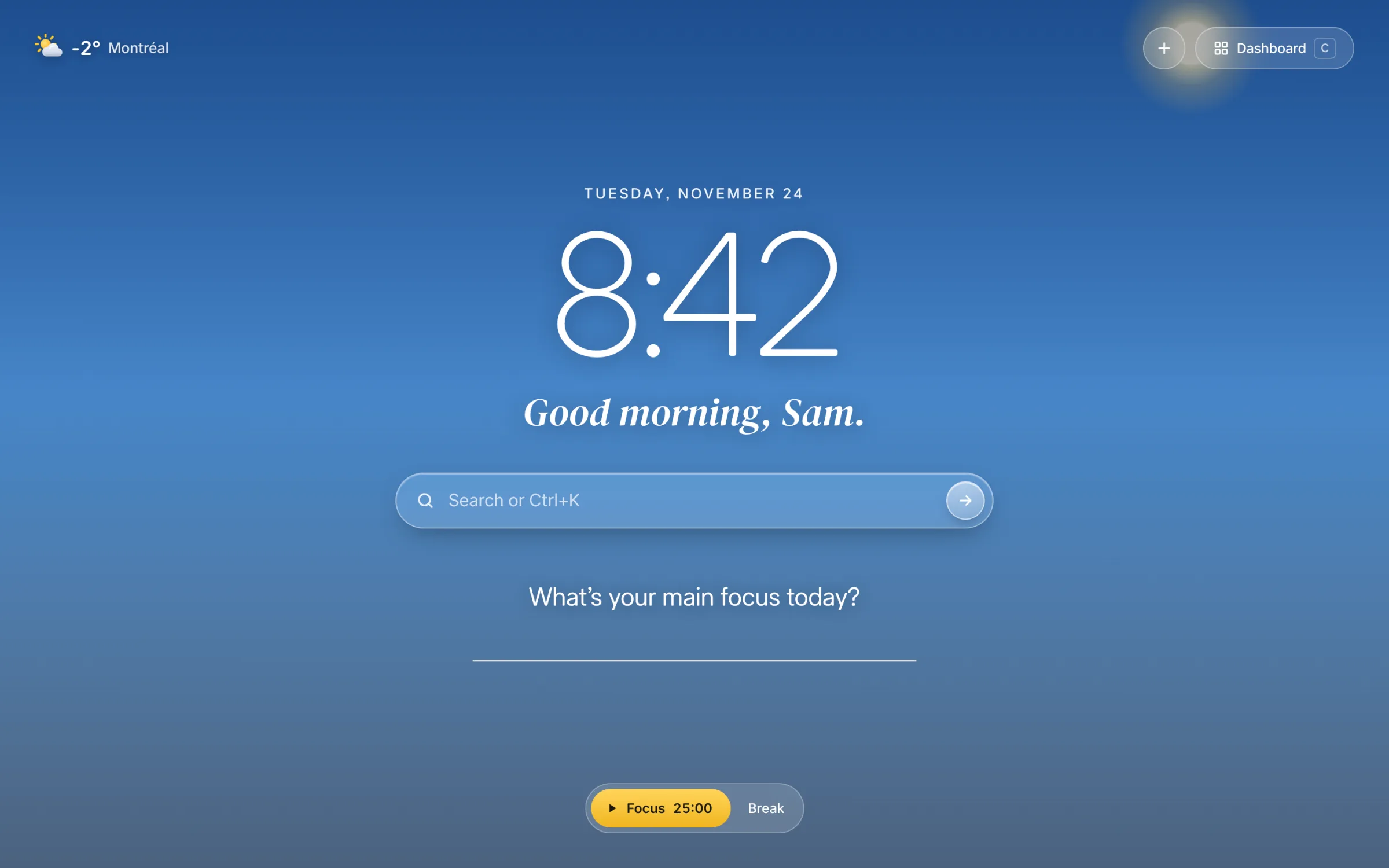
Press C and everything disappears except a big clock, the search box and one thing to focus on today.
A Chrome extension
Dashtabs automatically opens on every new tab.
English and French
Because that's how I live.
Why I'm sharing it
Honestly? Because it's been useful to me, and I think it could be useful to you. I'm not launching a startup. I'm opening up a personal project and seeing who else likes it.
That also means I'll be building it the way I always have: one small improvement at a time, with a lot of input from the people using it. If something's missing or annoying, tell me. There's a good chance I'll fix it.
Free, except for what costs me money
Almost everything in Dashtabs is free, and it'll stay that way. There are no ads and no trackers. It's the page I use every day, so I built it the way I'd want it built.
A few features rely on services I have to pay for as more people use them: sending emails, storing the images you upload, live transit data. Those are part of Premium, which I plan to offer for CA$4 a month or CA$40 a year (subject to change).
Premium will include:
- Your own header images on every tab (they take up storage).
- The morning summary, an email with your day before you open your laptop.
- Transit, live status for your métro, train and tram lines.
- Widgets I may add down the line, like a flight tracker (turns out that data is expensive).
That's the whole rule: if a feature costs me money to run, it's Premium. If it doesn't, it's free. Premium isn't there to make a profit. It's there so a side project can pay its own bills.
Under the hood
If you're technically minded, or just a bit curious: Dashtabs is plain PHP and MySQL, no framework, no build step, the same way home.timj.me started. It runs behind Cloudflare, signs you in with an email code or a password, and only connects to Google or Outlook if you ask it to, to read your calendar or count your unread emails. It never sees the emails themselves.
Try it
Dashtabs is in beta and opens to its first users soon. Join the waitlist to be among the first to create a dashboard, play with it for a week, and tell me what you think. If it ends up being the first thing you see every morning, that's the best compliment I could get.
Sign up for the waitlistFollow alongLearn more in the help centre